
| On Friday evening, June 6th, a new version of the Minddistrict platform will go into production. In this release note, you'll find all updates. Enjoy the new version of Minddistrict! |
| Do you have questions about the Minddistrict platform or app? Visit our online support site! |
TABLE OF CONTENTS
Platform
Questionnaire dates in questionnaire plannings now update automatically after changes
This change is relevant for secretaries and therapists
For long-term questionnaire plannings (up to 2 years), secretaries previously had to manually shift every future date whenever one start date changed. This was inconvenient, error-prone, and a long-standing bottleneck in the assignment and editing process.
When a professional changes the start date of a questionnaire, a window will now appear asking whether all following questionnaires should be shifted by the same time difference, while automatically preserving the intervals. This works in both the assignment and editing flow, with due dates remaining synchronised.
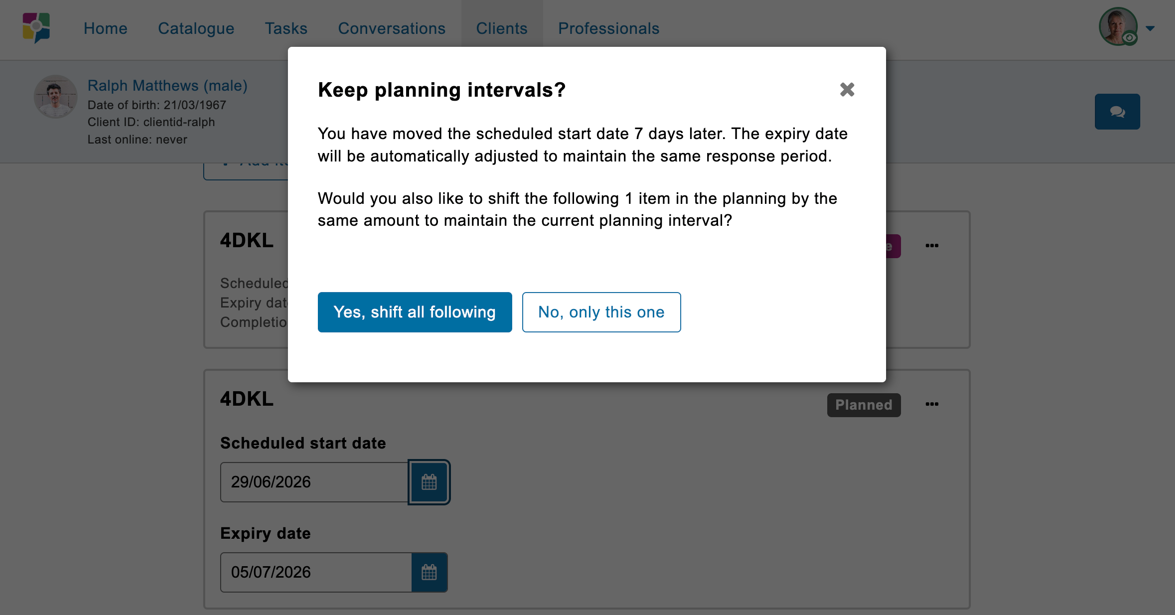
Automatically adjust future dates in the questionnaire planning
Assign multiple professionals to a client
This change is relevant for secretaries and therapists
Previously, professionals could assign only one therapist at a time to a client. When multiple therapists needed access to the same client, each therapist had to be added separately, which was time-consuming and repetitive.
Professionals can now select multiple therapists at once when creating a new client, editing the professional relationships of an existing client, or accepting a client registration as a secretary. All selected therapists are linked to the client in a single action and immediately gain access to the client account and results pages.
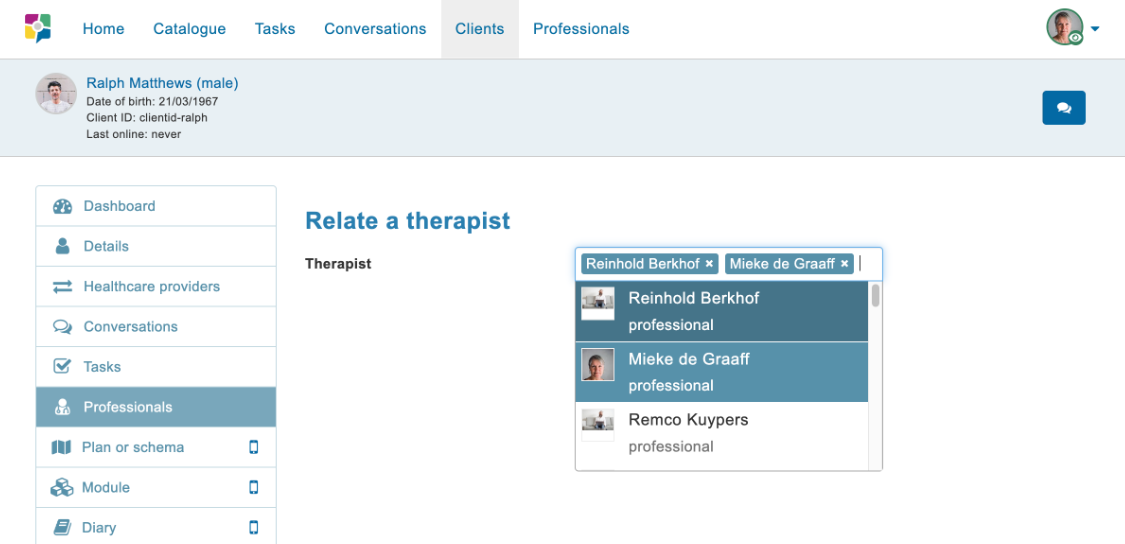
Assign multiple therapists to a client account
Automatic display of graphs (up to 4)
This change is relevant for secretaries and therapists
When viewing questionnaire results, professionals previously had to manually select graphs from a dropdown menu, which delayed the interpretation of results.
In the updated situation, graphs are displayed automatically. This applies to up to 4 graphs. If there are 5 or more graphs, the dropdown selection menu will remain.
Minddistrict appClient can directly access open questionnaires from the Minddistrict app homepageThis change is relevant for clients The homepage in the Minddistrict app did not prioritise (pending) questionnaires, causing users to overlook questionnaires that were about to expire. This had already been resolved in the web version and is now also fixed in the Minddistrict app. Questionnaires are now sorted by the nearest due date, followed by scheduled questionnaires, active modules, and completed items. | 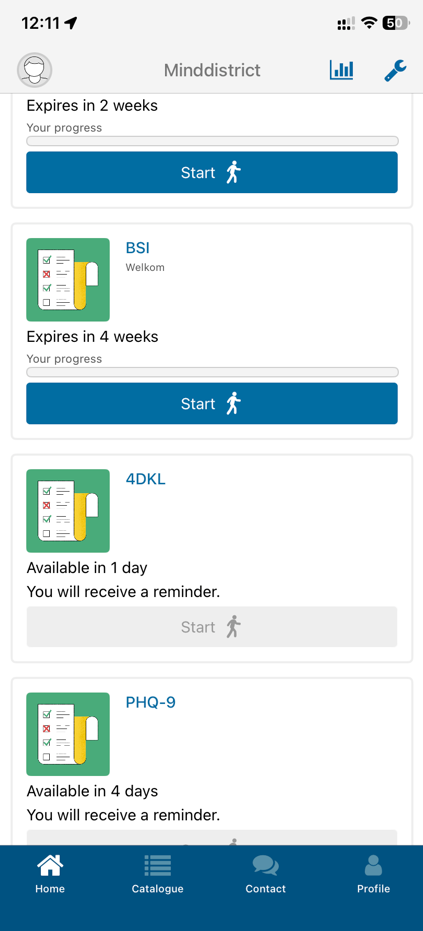 |
| Do you want to stay informed about developments? Sign up and receive the Release note every month. |